OpenSimWorld is the directory of 3D Virtual Worlds based on OpenSimulator and connected through the HyperGrid. Learn More
New Members
TrevonFreeman, MickyZ, Learner, LunaDarkHaze, TimForest, Erina_Myogi, CasaeniaBaxton, Gorgoroth, Marbling, Hattiesburga, LunaHellMoon, 42026, DamieanLaville, 196165, zєєнєℓℓмσση, Izabella01, Tomcat25, Sammyfillu, AlexFM25DZ, JeanALikes

Invitation to our nudist party
Fancy a great evening with cool tunes from our 3 DJs
Naturalness, relaxation, and fun with no dress code.
Let it all hang out on the beach without inhibition,get naked
just bring a towel(and a good mood)!
Pure freedom, we want to come together to celebrate in a relaxed atmosphere.
We've put together a special synchronized dance machine for this event with over 60 of the latest unisex dances for you.
Dancing on the beach, in the sea, at the bar, or even dancing around the grounds of the freedom beach club and explore everything, anything is possible.
clothing optional nude or swimwear
This event is for adults only!
We look forward to seeing you!
The C&C Club Team
Einladung zu unserer FKK Party
Lust auf einen schönen Abend, mit coolen Tunes unserer 3 DJ´s
Natürlichkeit,Entspannung und Spass ohne Dresscode.
Am Strand ganz ungeniert die Hüllen fallen lassen, packt nur ein Handtuch
(und gute Laune) ein !
Freiheit pur, wir wollen zusammenkommen um gemeinsam, ungezwungen zu feiern.
Wir haben eine spezielle Synchron Tanzmaschine für diesen Event mit über 60 der neusten
Unisex Tänze für euch zusammengebastelt.
Tanzen am Strand im Meer oder an der Bar oder auch tanzend im Areal des Freedom Beach Club herumlaufen und erkunden, alles ist möglich.
Kleidung optional: Nackt oder Badebekleidung
Das Event ist nur für Erwachsene!
Wir freuen uns auf euren Besuch
das Team des C&C Clubs
Fancy a great evening with cool tunes from our 3 DJs
Naturalness, relaxation, and fun with no dress code.
Let it all hang out on the beach without inhibition,get naked
just bring a towel(and a good mood)!
Pure freedom, we want to come together to celebrate in a relaxed atmosphere.
We've put together a special synchronized dance machine for this event with over 60 of the latest unisex dances for you.
Dancing on the beach, in the sea, at the bar, or even dancing around the grounds of the freedom beach club and explore everything, anything is possible.
clothing optional nude or swimwear
This event is for adults only!
We look forward to seeing you!
The C&C Club Team
Einladung zu unserer FKK Party
Lust auf einen schönen Abend, mit coolen Tunes unserer 3 DJ´s
Natürlichkeit,Entspannung und Spass ohne Dresscode.
Am Strand ganz ungeniert die Hüllen fallen lassen, packt nur ein Handtuch
(und gute Laune) ein !
Freiheit pur, wir wollen zusammenkommen um gemeinsam, ungezwungen zu feiern.
Wir haben eine spezielle Synchron Tanzmaschine für diesen Event mit über 60 der neusten
Unisex Tänze für euch zusammengebastelt.
Tanzen am Strand im Meer oder an der Bar oder auch tanzend im Areal des Freedom Beach Club herumlaufen und erkunden, alles ist möglich.
Kleidung optional: Nackt oder Badebekleidung
Das Event ist nur für Erwachsene!
Wir freuen uns auf euren Besuch
das Team des C&C Clubs
 | Miela Ronas: Hugs Carmen,we will do our best to try and make it this evening,looking forward to it 11 minutes ago |

NEW RELEASE
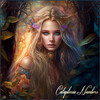
DJ KITTY @The Morning Breakfast Show, 6 - 8 am Grid time
Grab your Bacon, Eggs , and hot cup of coffee, and listen to Kitty's Morning Breakfast Tunes, Here at the Amv Landingpoint
We Are looking forward to seeing you all there !
hop://alternatemetaverse.com:8002/Alternate%20Metaverse/34...
Grab your Bacon, Eggs , and hot cup of coffee, and listen to Kitty's Morning Breakfast Tunes, Here at the Amv Landingpoint
We Are looking forward to seeing you all there !
hop://alternatemetaverse.com:8002/Alternate%20Metaverse/34...

Guitar animations: I am looking for a standing acoustic guitar anim.
I have the sitting one, and also all the usual boxes ... Most that say they are acoustic guitar, when you open them are in fact 6 different - and alarmingly violent - rock or heavy metal guitar anims. All the places I found via hypercat brought me to the same boxes on different grids.
Does anyone have an actual standing up, calm, acoustic guitar anim?
I have the sitting one, and also all the usual boxes ... Most that say they are acoustic guitar, when you open them are in fact 6 different - and alarmingly violent - rock or heavy metal guitar anims. All the places I found via hypercat brought me to the same boxes on different grids.
Does anyone have an actual standing up, calm, acoustic guitar anim?
| | Chelsea Louloudi: I have a couple of standing strumming. Sent to you. Let me know if you didn't get them. 2 hours ago |
OpenCollar 8.4 now available in OS
Fiona's Princess Collar
This collar is full perm and complies with OpenCollar license terms.
Cut and polished Larimar from Baharona, one of Earth's scarcest treasures. These gems, 10,000 times rarer than diamonds, are created when volcanic lava hits the turqouise waters of the Caribbean sea. They are only found in Dominican Republic, the birthplace of the Americas.
This is a beta version. It seems to work but there may be issues I have not yet idenfitied. The apps and rlv restrictions / relay in particular. Welding is possible but has not been tested.
I have purposely included only a few apps, to reduce complexity, until I verify the code is stable.
IMPORTANT NOTE: this collar ships 'unowned'. If you "lock" the collar while it is unowned you will not be able to remove it without cheating.
The best 'first step' is to add an owner (even yourself if you want) before tinkering with the menu selections.
If you need help come see me. If you want to receive important news and updates send me an im and I will add you to my notify list.
I have modified the original OpenCollar sources for OpenSim (tested on OpenSimulator 0.9.3.1, it should work on other versions but not tested).
I updated: oc_core and oc_settings. The big issue has to do with how OpenSim handles LSL dataserver. with 'stock' OpenCollar it tends to barf on reading .settings notecard and theh state is never advanced in oc_core, leaving the collar inactive. I modified the code to resolve this issue. also minor issues like double-starts and notecard parsing timeouts.
Default listen channel is 84 (not 1 as this can conflict with translators in OpenSim).
I made the default safeword "FionaSweet"
This is GPL software, you can do what you wish with it in accordance with the terms of the license. (see fsf.org for details)
hop://hg.holoneon.com:80/Welcome/162/137/26
**** OPENSIM AIO (ALL-IN-ONE) WATCHDOG V2 UPDATED RELEASED ******
** OpenSIM Watchdog V2 – All-in-One Notification System (Telegram + Discord + Staff + Secure Keys)
(Scripted originally made by Satyr Aeon but fully modified by ChatGPT and DeepSeek AI)
OpenSIM Watchdog V2 is a complete region monitoring and notification system designed for reliability, security, and ease of use.
This new version introduces secure key storage, automatic sim-restart detection, improved staff handling, and a fully integrated control menu.
---
**Key Features**
• Avatar enter / leave notifications, SIM position (x,y,z coordinates and how long one remained on region!
• Automatic SIM restart notification (when region comes back online)
• Telegram notifications
• Discord webhook notifications
• In-world IM notifications to owner and staff
• Secure storage of API keys (not stored in the main object)
• Staff system via notecard
• Timezone configuration if needed (UTC -12 to +12)
• Touch menu configuration (no chat commands)
• Works even if you do not own the region (rez rights only)
---
**New in V2**
✅ Secure “split-keys” system
Telegram and Discord secrets are stored in child prims (TG_key and DC_key), not in the main object description.
✅ Improved staff system
Staff UUIDs are loaded from a notecard and automatically reloaded when the notecard changes.
✅ Smart SIM restart detection
Automatically sends a message when the region finishes restarting and is back online.
✅ Faster visitor detection
Checks region avatars every 5 seconds.
✅ Full menu control
Enable/disable Telegram or Discord, configure tokens, webhooks and timezone directly in-world.
---
**Notifications are sent to**
• Object owner (always)
• Staff avatars listed in the notecard (optional)
• Telegram (optional)
• Discord (optional)
Offline users receive messages when they log in (if their avatar exists on the grid).
---
**Use cases**
• Region owners
• Estate managers
• Shop owners
• Event regions
• Roleplay regions
• Grid administrators
----------------------------------------------------------------------------------------------------------------------
HOW TO USE: (SAME INFO ON "READ ME" NOTECARD):
OPENSIM WATCHDOG V2 – ALL-IN-ONE NOTIFICATION SYSTEM
SECURE SPLIT-KEYS VERSION + SIM RESTART AUTO NOTIFICATION
Based on the script from Satyr Aeon
Fully modified and extended by ChatGPT and DeepSeek AI
USER MANUAL
=============================================
1) REZ THE OBJECT
----------------
Rez the object in your region.
The script will start automatically.
You do NOT need to edit the script.
2) STAFF NOTECARD (OPTIONAL)
---------------------------
Notecard name: NOTIFICATION STAFF
- Add ONE avatar UUID per line.
- These avatars will receive in-world IM notifications:
• Avatar entering the region and position
• Avatar leaving the region
- The owner ALWAYS receives notifications.
- If the object is group-owned, any group member with edit rights can modify the notecard.
- Leave the notecard empty if you do not want to use staff notifications.
Example:
a8c9e85e-8076-4bd8-842d-083f0fe7c2e4
9d425ade-c383-4dae-9622-187a594ee927
340d6df7-658b-4cb8-820c-61b5cbc86cb1
**************************************************************
IMPORTANT – AUTOMATIC SECURITY ON TRANSFER
**************************************************************
You NO LONGER need to manually wipe this notecard before sharing the object.
When ownership changes:
- Telegram token is wiped
- Telegram chat ID is wiped
- Discord webhook is wiped
- Script is reset automatically
- The STAFF notecard is wiped out.
**************************************************************
IMPORTANT STAFF NOTES
---------------------
- Staff members receive messages ONLY if:
• Their UUID exists on the grid
• They have logged into the grid at least once
• UUID is valid (no missing numbers, letters or spaces)
- Staff notifications include:
• Avatar entering the region and position
• Avatar leaving the region, position and how long one remained on region.
- SIM RESTART messages:
• Are sent to the OWNER, STAFF Telegram, and Discord
• Are NOT (most of the time) sent to staff when hypergridding or UUIDs of HG avatars or when UUIDs are invalid or partial and may be ignored silently.
3) TELEGRAM SETUP
-----------------
a) Open Telegram and search for: @BotFather
b) Send command: /newbot
c) Follow the instructions
d) Copy the BOT TOKEN provided
e) Create a private chat or group for notifications
f) Obtain the CHAT ID:
- Private chat: use @userinfobot
- Group chat: add a bot and retrieve the chat ID
g) In OpenSim:
- Touch the object
- Select "Telegram"
- Choose "Set Token"
- Choose "Set ChatID"
- Enable Telegram if it is disabled
4) DISCORD SETUP
----------------
a) Open Discord
b) Go to your server
c) Server Settings → Integrations → Webhooks → New Webhook
d) Copy the webhook URL
e) In OpenSim:
- Touch the object
- Select "Discord"
- Choose "Set Webhook"
- Enable Discord if it is disabled
5) TIMEZONE SETTINGS
--------------------
Default: UTC-8
To change:
Touch object → TIMEZONE → enter a value between -12 and +12
Reference:
https://www.utctime.net/
****************************************************************
TIME DISPLAY LABELS - IMPORTANT NEW FEATURE
****************************************************************
The script now displays different time labels in notifications:
1. GRID TIME - When using grid's default timezone
• Appears when timezone is set to match grid time
• Shows time as it appears on the grid server
2. Defined user time - When using a custom timezone
• Appears when you manually set a timezone
• Shows time adjusted to your chosen timezone
Examples in notifications:
• "John Resident entered Main Region (14:30:15 PM GRID TIME)"
• "John Resident entered Main Region (14:30:15 PM Defined user time)"
****************************************************************
Note:
- The script uses grid Unix time + your offset.
- Daylight Saving Time is handled by the grid time reference if supported.
- Changing timezone affects ALL notifications (Telegram, Discord, IM).
6) OBJECT NAME (OPTIONAL)
-------------------------
You may rename the object to identify the region:
Examples:
- Main Region
- Shop
- HQ
- Sandbox
- Event Area
7) STATUS LIGHTS and COLOR MEANINGS
------------------------------------------------
IM_light
- GREEN → In-world IM system active (always on)
STAFF_light
- RED → STAFF notecard missing
- YELLOW → Notecard exists but empty or invalid UUID(s)
- GREEN → At least one valid staff UUID loaded
TG_light (Telegram)
- RED → Token or Chat ID missing or NOT configured
- YELLOW → Telegram disabled
- GREEN → Telegram enabled and configured
DC_light (Discord)
- RED → Webhook missing or NOT configured
- YELLOW → Discord disabled
- GREEN → Discord enabled and configured
8) SECURE STORAGE
-----------------
Secrets (*) are NO LONGER stored in the main object description.
They are stored in:
- Telegram → child invisible prim named: TG_key
- Discord → child invisible prim named: DC_key
These prims store encrypted-style data in their description field.
Do NOT DELETE or UNLINK them.
(*) Token, ChatID and Webhook provided by the user.
9) WHAT GETS NOTIFIED
---------------------
Avatar enters region and SIM position (x,y,z coordinates):
- Owner (IM)
- Staff (IM)
- Telegram (if enabled)
- Discord (if enabled)
Avatar leaves region, SIM position (x,y,z coordinates) and how long one remained on region:
- Owner (IM)
- Staff (IM)
- Telegram (if enabled)
- Discord (if enabled)
Region restart (when region comes back online):
- Owner and Staff (*) (IM)
- Telegram (if enabled)
- Discord (if enabled)
(*) It often fail if hypergridding, offline or hypergriders UUIDs.
10) DETECTION SYSTEM
--------------------
- Avatar scan runs every ~5 seconds.
- NPCs are flagged as (NPC).
- Position is reported using integer coordinates. (x,y,z)
- When leaving script also detects how long it remained on region.
11) CROSS-GRID UUIDS
--------------------
- UUIDs from other grids may fail.
- Best results are with avatars that have logged into your grid at least once.
12) TROUBLESHOOTING
-------------------
STAFF NOT RECEIVING
- Avatar must exist on the grid
- Avatar must have logged in at least once
- UUID must be valid
- No spaces before/after UUID
- No empty lines
TELEGRAM NOT WORKING
- Check bot token
- Check chat ID
- No spaces
- Ensure Telegram is enabled in menu
DISCORD NOT WORKING
- Verify webhook URL
- No spaces
- Must start with:
https://discord.com/api/webhooks/
- Ensure Discord is enabled in menu
SIM RESTART MESSAGE NOT RECEIVED
- Owner always receives it
- Telegram / Discord must be enabled
TIMEZONE NOT CHANGING
- Only values between -12 and +12 are accepted
TIME LABEL CONFUSION
- "GRID TIME" = Using grid's default timezone
- "Defined user time" = Using custom timezone you set
- Both show accurate time, just different labels to indicate source
SCRIPT NOT RESPONDING
- Reset the script
- Touch object again
INVENTORY CHANGES
- Editing the STAFF notecard reloads automatically
- If not, reset the script
13) REGION OWNERSHIP
--------------------
You do NOT need to own the region.
You only need rez rights.
=================================================
END
=================================================
Enjoy,
Jimmy Olsen
** OpenSIM Watchdog V2 – All-in-One Notification System (Telegram + Discord + Staff + Secure Keys)
(Scripted originally made by Satyr Aeon but fully modified by ChatGPT and DeepSeek AI)
OpenSIM Watchdog V2 is a complete region monitoring and notification system designed for reliability, security, and ease of use.
This new version introduces secure key storage, automatic sim-restart detection, improved staff handling, and a fully integrated control menu.
---
**Key Features**
• Avatar enter / leave notifications, SIM position (x,y,z coordinates and how long one remained on region!
• Automatic SIM restart notification (when region comes back online)
• Telegram notifications
• Discord webhook notifications
• In-world IM notifications to owner and staff
• Secure storage of API keys (not stored in the main object)
• Staff system via notecard
• Timezone configuration if needed (UTC -12 to +12)
• Touch menu configuration (no chat commands)
• Works even if you do not own the region (rez rights only)
---
**New in V2**
✅ Secure “split-keys” system
Telegram and Discord secrets are stored in child prims (TG_key and DC_key), not in the main object description.
✅ Improved staff system
Staff UUIDs are loaded from a notecard and automatically reloaded when the notecard changes.
✅ Smart SIM restart detection
Automatically sends a message when the region finishes restarting and is back online.
✅ Faster visitor detection
Checks region avatars every 5 seconds.
✅ Full menu control
Enable/disable Telegram or Discord, configure tokens, webhooks and timezone directly in-world.
---
**Notifications are sent to**
• Object owner (always)
• Staff avatars listed in the notecard (optional)
• Telegram (optional)
• Discord (optional)
Offline users receive messages when they log in (if their avatar exists on the grid).
---
**Use cases**
• Region owners
• Estate managers
• Shop owners
• Event regions
• Roleplay regions
• Grid administrators
----------------------------------------------------------------------------------------------------------------------
HOW TO USE: (SAME INFO ON "READ ME" NOTECARD):
OPENSIM WATCHDOG V2 – ALL-IN-ONE NOTIFICATION SYSTEM
SECURE SPLIT-KEYS VERSION + SIM RESTART AUTO NOTIFICATION
Based on the script from Satyr Aeon
Fully modified and extended by ChatGPT and DeepSeek AI
USER MANUAL
=============================================
1) REZ THE OBJECT
----------------
Rez the object in your region.
The script will start automatically.
You do NOT need to edit the script.
2) STAFF NOTECARD (OPTIONAL)
---------------------------
Notecard name: NOTIFICATION STAFF
- Add ONE avatar UUID per line.
- These avatars will receive in-world IM notifications:
• Avatar entering the region and position
• Avatar leaving the region
- The owner ALWAYS receives notifications.
- If the object is group-owned, any group member with edit rights can modify the notecard.
- Leave the notecard empty if you do not want to use staff notifications.
Example:
a8c9e85e-8076-4bd8-842d-083f0fe7c2e4
9d425ade-c383-4dae-9622-187a594ee927
340d6df7-658b-4cb8-820c-61b5cbc86cb1
**************************************************************
IMPORTANT – AUTOMATIC SECURITY ON TRANSFER
**************************************************************
You NO LONGER need to manually wipe this notecard before sharing the object.
When ownership changes:
- Telegram token is wiped
- Telegram chat ID is wiped
- Discord webhook is wiped
- Script is reset automatically
- The STAFF notecard is wiped out.
**************************************************************
IMPORTANT STAFF NOTES
---------------------
- Staff members receive messages ONLY if:
• Their UUID exists on the grid
• They have logged into the grid at least once
• UUID is valid (no missing numbers, letters or spaces)
- Staff notifications include:
• Avatar entering the region and position
• Avatar leaving the region, position and how long one remained on region.
- SIM RESTART messages:
• Are sent to the OWNER, STAFF Telegram, and Discord
• Are NOT (most of the time) sent to staff when hypergridding or UUIDs of HG avatars or when UUIDs are invalid or partial and may be ignored silently.
3) TELEGRAM SETUP
-----------------
a) Open Telegram and search for: @BotFather
b) Send command: /newbot
c) Follow the instructions
d) Copy the BOT TOKEN provided
e) Create a private chat or group for notifications
f) Obtain the CHAT ID:
- Private chat: use @userinfobot
- Group chat: add a bot and retrieve the chat ID
g) In OpenSim:
- Touch the object
- Select "Telegram"
- Choose "Set Token"
- Choose "Set ChatID"
- Enable Telegram if it is disabled
4) DISCORD SETUP
----------------
a) Open Discord
b) Go to your server
c) Server Settings → Integrations → Webhooks → New Webhook
d) Copy the webhook URL
e) In OpenSim:
- Touch the object
- Select "Discord"
- Choose "Set Webhook"
- Enable Discord if it is disabled
5) TIMEZONE SETTINGS
--------------------
Default: UTC-8
To change:
Touch object → TIMEZONE → enter a value between -12 and +12
Reference:
https://www.utctime.net/
****************************************************************
TIME DISPLAY LABELS - IMPORTANT NEW FEATURE
****************************************************************
The script now displays different time labels in notifications:
1. GRID TIME - When using grid's default timezone
• Appears when timezone is set to match grid time
• Shows time as it appears on the grid server
2. Defined user time - When using a custom timezone
• Appears when you manually set a timezone
• Shows time adjusted to your chosen timezone
Examples in notifications:
• "John Resident entered Main Region (14:30:15 PM GRID TIME)"
• "John Resident entered Main Region (14:30:15 PM Defined user time)"
****************************************************************
Note:
- The script uses grid Unix time + your offset.
- Daylight Saving Time is handled by the grid time reference if supported.
- Changing timezone affects ALL notifications (Telegram, Discord, IM).
6) OBJECT NAME (OPTIONAL)
-------------------------
You may rename the object to identify the region:
Examples:
- Main Region
- Shop
- HQ
- Sandbox
- Event Area
7) STATUS LIGHTS and COLOR MEANINGS
------------------------------------------------
IM_light
- GREEN → In-world IM system active (always on)
STAFF_light
- RED → STAFF notecard missing
- YELLOW → Notecard exists but empty or invalid UUID(s)
- GREEN → At least one valid staff UUID loaded
TG_light (Telegram)
- RED → Token or Chat ID missing or NOT configured
- YELLOW → Telegram disabled
- GREEN → Telegram enabled and configured
DC_light (Discord)
- RED → Webhook missing or NOT configured
- YELLOW → Discord disabled
- GREEN → Discord enabled and configured
8) SECURE STORAGE
-----------------
Secrets (*) are NO LONGER stored in the main object description.
They are stored in:
- Telegram → child invisible prim named: TG_key
- Discord → child invisible prim named: DC_key
These prims store encrypted-style data in their description field.
Do NOT DELETE or UNLINK them.
(*) Token, ChatID and Webhook provided by the user.
9) WHAT GETS NOTIFIED
---------------------
Avatar enters region and SIM position (x,y,z coordinates):
- Owner (IM)
- Staff (IM)
- Telegram (if enabled)
- Discord (if enabled)
Avatar leaves region, SIM position (x,y,z coordinates) and how long one remained on region:
- Owner (IM)
- Staff (IM)
- Telegram (if enabled)
- Discord (if enabled)
Region restart (when region comes back online):
- Owner and Staff (*) (IM)
- Telegram (if enabled)
- Discord (if enabled)
(*) It often fail if hypergridding, offline or hypergriders UUIDs.
10) DETECTION SYSTEM
--------------------
- Avatar scan runs every ~5 seconds.
- NPCs are flagged as (NPC).
- Position is reported using integer coordinates. (x,y,z)
- When leaving script also detects how long it remained on region.
11) CROSS-GRID UUIDS
--------------------
- UUIDs from other grids may fail.
- Best results are with avatars that have logged into your grid at least once.
12) TROUBLESHOOTING
-------------------
STAFF NOT RECEIVING
- Avatar must exist on the grid
- Avatar must have logged in at least once
- UUID must be valid
- No spaces before/after UUID
- No empty lines
TELEGRAM NOT WORKING
- Check bot token
- Check chat ID
- No spaces
- Ensure Telegram is enabled in menu
DISCORD NOT WORKING
- Verify webhook URL
- No spaces
- Must start with:
https://discord.com/api/webhooks/
- Ensure Discord is enabled in menu
SIM RESTART MESSAGE NOT RECEIVED
- Owner always receives it
- Telegram / Discord must be enabled
TIMEZONE NOT CHANGING
- Only values between -12 and +12 are accepted
TIME LABEL CONFUSION
- "GRID TIME" = Using grid's default timezone
- "Defined user time" = Using custom timezone you set
- Both show accurate time, just different labels to indicate source
SCRIPT NOT RESPONDING
- Reset the script
- Touch object again
INVENTORY CHANGES
- Editing the STAFF notecard reloads automatically
- If not, reset the script
13) REGION OWNERSHIP
--------------------
You do NOT need to own the region.
You only need rez rights.
=================================================
END
=================================================
Enjoy,
Jimmy Olsen
| | Spax Orion: Satyr's Watchdog is an amazing script. I modified mine to work with ActiveNPC and have my Automatons whisper to me whenever I get visits. 3 hours ago |
GRAND OPENING – TODAY
Join us for the Grand Opening of The Rendezvous Redlight District Club
with DJ Cataplexia Numbers bringing the heat!
February 7th - 8:00 PM – 10:00 PM (Grid Time)
The Rendezvous Redlight District Club
Hop:
hop://alternatemetaverse.com:8002/The%20Rendezvous/166/254...
Step into the night, feel the rhythm, and let the beats take you.
Don’t miss the opening everyone will be talking about!
The Rendezvous is located at Alternate Metaverse grid and is a truly adult oriented and sex friendly Region & Resort
Located on the Saints & Sinners Sky Platform
Join us for the Grand Opening of The Rendezvous Redlight District Club
with DJ Cataplexia Numbers bringing the heat!
February 7th - 8:00 PM – 10:00 PM (Grid Time)
The Rendezvous Redlight District Club
Hop:
hop://alternatemetaverse.com:8002/The%20Rendezvous/166/254...
Step into the night, feel the rhythm, and let the beats take you.
Don’t miss the opening everyone will be talking about!
The Rendezvous is located at Alternate Metaverse grid and is a truly adult oriented and sex friendly Region & Resort
Located on the Saints & Sinners Sky Platform

Am Sonntag ab 20:00 Uhr:
Meine glitzernden Lieblingsmenschen,
es ist wieder so weit: Wir werfen Federn in die Luft,
Glitzer in die Haare und sämtliche Hemmungen in die Ecke.
Wir laden euch herzlich zu einer Burlesque Party ein –
mit einem kleinen Showact, der so charmant ist,
dass selbst eure Lachmuskeln erröten könnten.
Kommt, wie ihr wollt:
übertrieben glamourös, herrlich schräg
oder einfach bereit, euch köstlich zu amüsieren.
Hauptsache, ihr bringt gute Laune und eure besten
„Ich hab das extra so gewollt“-Moves mit.
Meine glitzernden Lieblingsmenschen,
es ist wieder so weit: Wir werfen Federn in die Luft,
Glitzer in die Haare und sämtliche Hemmungen in die Ecke.
Wir laden euch herzlich zu einer Burlesque Party ein –
mit einem kleinen Showact, der so charmant ist,
dass selbst eure Lachmuskeln erröten könnten.
Kommt, wie ihr wollt:
übertrieben glamourös, herrlich schräg
oder einfach bereit, euch köstlich zu amüsieren.
Hauptsache, ihr bringt gute Laune und eure besten
„Ich hab das extra so gewollt“-Moves mit.

Looking for MaiseyMoon's fullperm LaraX and Legacy clothing that she used to offer at "The shopping District". So sad to see it has vanished :( Does anyone still have her stuff?

Die EURODANCE Party steigt nun jeden Samstag – aber nicht da, wo ihr sie erwartet! Wir verabschieden uns endgültig von den angestaubten "Party"-Konzepten in OpenSim (OS) und verlegen das Spektakel nach Second Life!
Während die 90% alten Leute in der OpenSim weiterhin ihre abgefuckten "Konzepte" durchkauen können, ziehen wir weiter. Wir haben keine Lust mehr auf Stillstand! Wir machen es jetzt in Second Life – und zwar richtig: virtuell, grenzenlos und mit dem wahren EURODANCE-Feeling!
Seid dabei, wenn wir Second Life wöchentlich zum Beben bringen. Wer den Anschluss nicht verlieren will, kommt rüber!
http://maps.secondlife.com/secondlife/Paraoro%20Bay/80/240...
Während die 90% alten Leute in der OpenSim weiterhin ihre abgefuckten "Konzepte" durchkauen können, ziehen wir weiter. Wir haben keine Lust mehr auf Stillstand! Wir machen es jetzt in Second Life – und zwar richtig: virtuell, grenzenlos und mit dem wahren EURODANCE-Feeling!
Seid dabei, wenn wir Second Life wöchentlich zum Beben bringen. Wer den Anschluss nicht verlieren will, kommt rüber!
http://maps.secondlife.com/secondlife/Paraoro%20Bay/80/240...

Die ungezähmte Seele des Blues-Rock: Steamhammer
In den späten 1960er Jahren, als die britische Musikszene von einer wilden Mischung aus Blues, Psychedelic und aufkeimendem Progressive Rock durchgeschüttelt wurde, entstand in dem kleinen Küstenort Worthing eine Band, die sich weigerte, in Schubladen zu passen. Steamhammer formierte sich 1968 und verkörperte von Anfang an diesen rohen, erdigen Geist, der die Pubs und Clubs Englands eroberte.
Zum ganzen Artikel auf Xenopolias hier lang > https://wp.me/pfapSM-2az
All articles on Xenopolias are available in all common languages.
In den späten 1960er Jahren, als die britische Musikszene von einer wilden Mischung aus Blues, Psychedelic und aufkeimendem Progressive Rock durchgeschüttelt wurde, entstand in dem kleinen Küstenort Worthing eine Band, die sich weigerte, in Schubladen zu passen. Steamhammer formierte sich 1968 und verkörperte von Anfang an diesen rohen, erdigen Geist, der die Pubs und Clubs Englands eroberte.
Zum ganzen Artikel auf Xenopolias hier lang > https://wp.me/pfapSM-2az
All articles on Xenopolias are available in all common languages.
DJ TYLER - Moonlight Show 2am - 4am grid
Put on your dancing shoes and come on down to Alternate Metaverse!
We are looking forward to seeing you all here :)
Party Stage
Alternate Metaverse is the new landing point, come and make new friends
hop://alternatemetaverse.com:8002/Alternate%20Metaverse/34...
Put on your dancing shoes and come on down to Alternate Metaverse!
We are looking forward to seeing you all here :)
Party Stage
Alternate Metaverse is the new landing point, come and make new friends
hop://alternatemetaverse.com:8002/Alternate%20Metaverse/34...

⋆˙⟡₊✩‧₊𝐍𝐞𝐰𝐧𝐞𝐬𝐬₊✩‧₊⋆˙⟡
Newness in New store!
come take a look around guys, loads more being added and still somewhat under construction, but loooads of new stuff out!
Enjoy you beautiful bunch!
hop://alternatemetaverse.com:8002/The%20Avenue/26/146/22
Loadsa Love Mystic♥
Newness in New store!
come take a look around guys, loads more being added and still somewhat under construction, but loooads of new stuff out!
Enjoy you beautiful bunch!
hop://alternatemetaverse.com:8002/The%20Avenue/26/146/22
Loadsa Love Mystic♥
| | CleaPerido: dankeschön 8 hours ago |

💚Have a wonderful weekend everyone!💚

We look forward to seeing you at the vibrant, dynamic "Riding the Wave of Fun" party at the Euphoria Club! The party will take place on February 7, 2026, at 8:00 PM Moscow time. Welcome!
hop://spacegrid.online:6002/Polinar/2/32/21
hop://spacegrid.online:6002/Polinar/2/32/21

4 New Textures and they are all carpets.
Two of the carpets are Retro Roller Rink Black Light Emmisive Carpet - Adjust the (Black Light) glow and tint to your liking. :)
Coming soon, my neon tube controller. Adjustable Brightness, Glow, Radius, etc. Comes with Static colors and preprogrammed patterns including Marquee and Rainbow Flow. I'll update this post when I get finished testing and documenting the instructions (Not complicated, I'm just lazy). If you want to see a functional one, head over to Alba's Sex Club to the burlesque room with team member for a demo.
Two of the carpets are Retro Roller Rink Black Light Emmisive Carpet - Adjust the (Black Light) glow and tint to your liking. :)
Coming soon, my neon tube controller. Adjustable Brightness, Glow, Radius, etc. Comes with Static colors and preprogrammed patterns including Marquee and Rainbow Flow. I'll update this post when I get finished testing and documenting the instructions (Not complicated, I'm just lazy). If you want to see a functional one, head over to Alba's Sex Club to the burlesque room with team member for a demo.
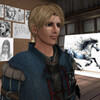
Scribble vom 2.Februar
Neben meinem Notebook habe ich auf dem Schreibtisch, immer ein Blatt Aquarell-Papier liegen. Darauf mach ich mir dann Notizen, Bemerkungen z.B. über Dinge die mir beim RP oder sonstwo aufgefallen sind......
https://lennardmonday.blogspot.com/2026/02/scribble-vom-2f...
https://lennardmonday.blogspot.com/2026/02/scribble-vom-2f...
Saturday January 6th, 2026 @ 2PM GridTime
Come prepared: Download Blender 4.1 - Sketchup and the Sketchup addon for Blender before the workshop!
Download Instructions & Links Here: https://youtu.be/U1RaWxCTeGY?si=n4vBFwPcCm88H2Oo
We will use voice and screen share in Discord in the Cool School Discord Channel https://discord.gg/Us5tbdbj
Cool School - hop://grid.curiosityzone.us:8002/Cool School/186/131/23
Hope to see ya there!
Come prepared: Download Blender 4.1 - Sketchup and the Sketchup addon for Blender before the workshop!
Download Instructions & Links Here: https://youtu.be/U1RaWxCTeGY?si=n4vBFwPcCm88H2Oo
We will use voice and screen share in Discord in the Cool School Discord Channel https://discord.gg/Us5tbdbj
Cool School - hop://grid.curiosityzone.us:8002/Cool School/186/131/23
Hope to see ya there!
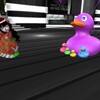
New to the shop, A free Vday gift available till the end of Feb. It will be located on your left as you walk in the door in a box covers in hearts hop://login.digiworldz.com:8002/Moon%20Wolf/226/134/22

Disco Tropic, ven a visitar nuestra disco de ambiente tropical en Mundo Latino.

DJ NET !! LIVE from the UK !!!
Watch him ''LIVE'' mixing!!
Starting 2pm at Tomorrow Land , Come All come NOW! Dress Sexy & Dance the Night Away !!
TitanLaw provides expert legal guidance for Immigration to Canada, helping individuals, families, and professionals navigate visas, permanent residence, and citizenship with confidence. Our experienced lawyers ensure every step meets Canadian immigration law. https://www.titanlaw.ca/

DJ AMOSIS Friday, February 6, 2026 at 12 PM (9 PM Spain time)
Come enjoy live mixes at Stark Mansion!!!
We'll be waiting for you at OTW_FIESTA MUNDO LATINO OUTOFTHISWORLD.
hop://outofthisworld.opensim.fun:36002/Mundo%20Latino/666/...
DJ AMOSIS viernes 6/2/2026 a las 12PM slt (21 hora España)
Ven a disfrutar de las mezclas en vivo en la Mansion Stark!!!
Te esperamos en OTW_FIESTA MUNDO LATINO OUTOFTHISWORLD.
hop://outofthisworld.opensim.fun:36002/Mundo%20Latino/666/...
Come enjoy live mixes at Stark Mansion!!!
We'll be waiting for you at OTW_FIESTA MUNDO LATINO OUTOFTHISWORLD.
hop://outofthisworld.opensim.fun:36002/Mundo%20Latino/666/...
DJ AMOSIS viernes 6/2/2026 a las 12PM slt (21 hora España)
Ven a disfrutar de las mezclas en vivo en la Mansion Stark!!!
Te esperamos en OTW_FIESTA MUNDO LATINO OUTOFTHISWORLD.
hop://outofthisworld.opensim.fun:36002/Mundo%20Latino/666/...

In light of the passing of our sweet Azoramyth, there will be NO KARAOKE SUNDAY, FEB 8th. We are taking this time to remember and honor our dear friend. Thank you for understanding.

yeah its Friday !!
***11am Grid Time***
We will Rave The Cube with the Best Rave of the 90s !!!
Who remembers the Berlin Love Parade?
Then you know what to expect !!!
| | ChiChi Cutey: and the Ravers are in the House , we start right now !!!! 20 hours ago |

Sakura and Sakura City is a lovely Oriental themed region, elements of Japan, China, Tibet mesh seamlessly with a sweeping landscape.
Sakura features beautiful surroundings, temples, Buddhist retreats, a stunning lake, many places to roam and relax.
Namaste .. our new Japanese dining area, is available for personal exploration or gatherings. Just a brief 'scan' of the lands will tell you little, this is a region that you must get out and actually walk into, see all there is to experience here!
Sakura features beautiful surroundings, temples, Buddhist retreats, a stunning lake, many places to roam and relax.
Namaste .. our new Japanese dining area, is available for personal exploration or gatherings. Just a brief 'scan' of the lands will tell you little, this is a region that you must get out and actually walk into, see all there is to experience here!
DokterNow connects patients with certified EU doctors for fast, reliable online medical consultations. Get professional advice, prescriptions, and follow-up care from trusted EU doctors without long waits, travel, or complicated appointments. https://dokternow.com/
The Rendezvous - Red Light District
GRAND OPENING – THIS SATURDAY!
Join us for the Grand Opening of The Rendezvous Redlight District Club
with DJ Cataplexia Numbers bringing the heat!
February 7th
8:00 PM – 10:00 PM (Grid Time)
Step into the night, feel the rhythm, and let the beats take you.
Don’t miss the opening everyone will be talking about!
On Saturday, February 7th from 8-10 PM, The Rendezvous celebrates a Grand Reopening Party! DJ Cataplexia is bringing her naughty list to The Red Light District at Saints & Sinners Sky Platform on "The Rendezvous" Region, Alternate Metaverse!
The Rendezvous is located at Alternate Metaverse grid and is a truly adult oriented and sex friendly Region & Resort
Saints & Sinners Sky Platform
hop://alternatemetaverse.com:8002/The%20Rendezvous/166/254...
GRAND OPENING – THIS SATURDAY!
Join us for the Grand Opening of The Rendezvous Redlight District Club
with DJ Cataplexia Numbers bringing the heat!
February 7th
8:00 PM – 10:00 PM (Grid Time)
Step into the night, feel the rhythm, and let the beats take you.
Don’t miss the opening everyone will be talking about!
On Saturday, February 7th from 8-10 PM, The Rendezvous celebrates a Grand Reopening Party! DJ Cataplexia is bringing her naughty list to The Red Light District at Saints & Sinners Sky Platform on "The Rendezvous" Region, Alternate Metaverse!
The Rendezvous is located at Alternate Metaverse grid and is a truly adult oriented and sex friendly Region & Resort
Saints & Sinners Sky Platform
hop://alternatemetaverse.com:8002/The%20Rendezvous/166/254...

✨ February Group Gift at Samsara – “The Buddha Scene” ✨
For February, Samsara offers a peaceful new group gift on the AMV grid: The Buddha Scene.
This detailed décor piece brings a calm, spiritual atmosphere to any space, centered around a serene Buddha figure and a tranquil ritual setting. It’s designed to add a sense of stillness, balance, and quiet beauty to your home or meditation area.
Group members can pick it up in‑world throughout February.
Enjoy the serenity it brings.
Do not search too hard.
In Samsara, gifts reveal themselves when the traveler simply walks with presence.
✨ How to Find the February Gift, The Path of Samsara ✨
From the landing point, turn left and let the wind guide your first steps.
Walk across the open meadow, where every blade of grass remembers a story from a life before.
Ahead, the green bridge awaits, a passage between cycles, a small crossing from the seen to the unseen.
Step over it with calm intention, and continue straight along the path that unfolds before you.
A little further on, your February gift will be waiting,
quiet, patient, and exactly where it needs to be in this turning of the wheel.
hop://alternatemetaverse.com:8002/Samsara/736/479/22
For February, Samsara offers a peaceful new group gift on the AMV grid: The Buddha Scene.
This detailed décor piece brings a calm, spiritual atmosphere to any space, centered around a serene Buddha figure and a tranquil ritual setting. It’s designed to add a sense of stillness, balance, and quiet beauty to your home or meditation area.
Group members can pick it up in‑world throughout February.
Enjoy the serenity it brings.
Do not search too hard.
In Samsara, gifts reveal themselves when the traveler simply walks with presence.
✨ How to Find the February Gift, The Path of Samsara ✨
From the landing point, turn left and let the wind guide your first steps.
Walk across the open meadow, where every blade of grass remembers a story from a life before.
Ahead, the green bridge awaits, a passage between cycles, a small crossing from the seen to the unseen.
Step over it with calm intention, and continue straight along the path that unfolds before you.
A little further on, your February gift will be waiting,
quiet, patient, and exactly where it needs to be in this turning of the wheel.
hop://alternatemetaverse.com:8002/Samsara/736/479/22
DJ SOFEE AT THE MORNING BREAKFAST TODAY , Live from Belgium ,With her Voice she brings us to the next chapter of music, she likes to banter during her 2 hours set, come join her and Have a Donut .
Everybody is Welcome
Everybody is Welcome

It’s time for that Breakfast Vibe - today from **6AM to 8AM** grid time at the Alternate Metaverse Main Landing Point!
It's time to Bounce out of your Bed and grab your coffee mug, and teleport over to the Main Landing Point.
Let DeeJay Sofee wake your Friday morning up with a BIG BANG to start your day. (It's not going to be a quiet Morning)
Today’s Genre: It's Freaky Friday Mix!!!.
Come on over and Wake up the Sofee Way and celebrate being alive this beautiful Friday morning!
hop://alternatemetaverse.com:8002/Alternate%20Metaverse/32...
It's time to Bounce out of your Bed and grab your coffee mug, and teleport over to the Main Landing Point.
Let DeeJay Sofee wake your Friday morning up with a BIG BANG to start your day. (It's not going to be a quiet Morning)
Today’s Genre: It's Freaky Friday Mix!!!.
Come on over and Wake up the Sofee Way and celebrate being alive this beautiful Friday morning!
hop://alternatemetaverse.com:8002/Alternate%20Metaverse/32...

A little Sunvibes update 🌞
I’ve had to update all the Sunvibes stream links — all 7 streams now have new links.
Please grab the latest Sunvibes HUD from the welcome areas in all three Sunvibes sims: Sunvibes, Africa, and Shanti.
👉 Make sure the HUD is marked February 2026.
The updated HUD includes the latest links to all 7 Sunvibes streams:
Sunvibes World Mix, AfroVibes, IndiaVibes, South African Jazz, ChillVibes, Amapiano, and Indian Ragas — plus a few extra goodies for you 🎁
Across the Sunvibes sims, different areas are tuned to different music streams, so each space has its own atmosphere.
🌞 Main Sunvibes sim
The Sunvibes World Mix stream plays throughout the main sim.
🧘 Shanti sim
At the landing area, you’ll hear the ChillVibes stream.
At the Shanti Classical Indian Music School, the Indian Ragas stream is playing.
In the Music Garden, enjoy Indian contemporary music — fun tunes from Bollywood and beyond.
🌍 Africa sim
The AfroVibes stream plays at the main landing area - a fun selection of tunes from all over the African continent.
Tune into South African Jazz at the Kippies Jazz Club.
Relax to Amapiano at the Amapiano Lounge.
Enjoy exploring the sims and discovering the different vibes 🎶✨
I’ve had to update all the Sunvibes stream links — all 7 streams now have new links.
Please grab the latest Sunvibes HUD from the welcome areas in all three Sunvibes sims: Sunvibes, Africa, and Shanti.
👉 Make sure the HUD is marked February 2026.
The updated HUD includes the latest links to all 7 Sunvibes streams:
Sunvibes World Mix, AfroVibes, IndiaVibes, South African Jazz, ChillVibes, Amapiano, and Indian Ragas — plus a few extra goodies for you 🎁
Across the Sunvibes sims, different areas are tuned to different music streams, so each space has its own atmosphere.
🌞 Main Sunvibes sim
The Sunvibes World Mix stream plays throughout the main sim.
🧘 Shanti sim
At the landing area, you’ll hear the ChillVibes stream.
At the Shanti Classical Indian Music School, the Indian Ragas stream is playing.
In the Music Garden, enjoy Indian contemporary music — fun tunes from Bollywood and beyond.
🌍 Africa sim
The AfroVibes stream plays at the main landing area - a fun selection of tunes from all over the African continent.
Tune into South African Jazz at the Kippies Jazz Club.
Relax to Amapiano at the Amapiano Lounge.
Enjoy exploring the sims and discovering the different vibes 🎶✨
✨ February Group Gift at Samsara – “The Buddha Scene” ✨
For February, Samsara offers a peaceful new group gift on the AMV grid: The Buddha Scene.
This detailed décor piece brings a calm, spiritual atmosphere to any space, centered around a serene Buddha figure and a tranquil ritual setting. It’s designed to add a sense of stillness, balance, and quiet beauty to your home or meditation area.
Group members can pick it up in‑world throughout February.
Enjoy the serenity it brings.
Do not search too hard.
In Samsara, gifts reveal themselves when the traveler simply walks with presence.
✨ How to Find the February Gift, The Path of Samsara ✨
From the landing point, turn left and let the wind guide your first steps.
Walk across the open meadow, where every blade of grass remembers a story from a life before.
Ahead, the green bridge awaits, a passage between cycles, a small crossing from the seen to the unseen.
Step over it with calm intention, and continue straight along the path that unfolds before you.
A little further on, your February gift will be waiting,
quiet, patient, and exactly where it needs to be in this turning of the wheel.
hop://alternatemetaverse.com:8002/Samsara/736/479/22
For February, Samsara offers a peaceful new group gift on the AMV grid: The Buddha Scene.
This detailed décor piece brings a calm, spiritual atmosphere to any space, centered around a serene Buddha figure and a tranquil ritual setting. It’s designed to add a sense of stillness, balance, and quiet beauty to your home or meditation area.
Group members can pick it up in‑world throughout February.
Enjoy the serenity it brings.
Do not search too hard.
In Samsara, gifts reveal themselves when the traveler simply walks with presence.
✨ How to Find the February Gift, The Path of Samsara ✨
From the landing point, turn left and let the wind guide your first steps.
Walk across the open meadow, where every blade of grass remembers a story from a life before.
Ahead, the green bridge awaits, a passage between cycles, a small crossing from the seen to the unseen.
Step over it with calm intention, and continue straight along the path that unfolds before you.
A little further on, your February gift will be waiting,
quiet, patient, and exactly where it needs to be in this turning of the wheel.
hop://alternatemetaverse.com:8002/Samsara/736/479/22
| | Sunshine Szavanna: Thank you for the beautiful gift and sim :) yesterday |
Dreck, Diamanten und der Duft von Drachenblut: Die Odyssee von ASIA
Hört zu, ihr Landratten des Pop-Ozeans! Wir schreiben das Jahr 1981, und die Welt des Progressive Rock lag im Sterben, erstickt an ihrem eigenen Ego und zwanzigminütigen Flötensoli. Aber aus der Asche dieser Dinosaurier erhob sich etwas, das so gefährlich glänzte wie ein frisch polierter Cadillac. Man nannte sie Asia.
Zum ganzen Artikel auf Xenopolias hier lang > https://wp.me/pfapSM-2ab
Hört zu, ihr Landratten des Pop-Ozeans! Wir schreiben das Jahr 1981, und die Welt des Progressive Rock lag im Sterben, erstickt an ihrem eigenen Ego und zwanzigminütigen Flötensoli. Aber aus der Asche dieser Dinosaurier erhob sich etwas, das so gefährlich glänzte wie ein frisch polierter Cadillac. Man nannte sie Asia.
Zum ganzen Artikel auf Xenopolias hier lang > https://wp.me/pfapSM-2ab
📝 Snow Rider 3D: Immersive Snow Racing with Stunning 3D Graphics
Snow Rider 3D: Immersive Snow Racing with Stunning 3D Graphics
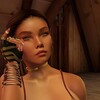
Simple Blindfold
Mesh
RLV lock, key holder, fabric texture overlay, dark sphere, timer.
Beta testing
Get a copy at:
hop://hg.osgrid.org:80/Amanda's%20Home/128/128/22
or at:
hop://hg.osgrid.org:80/The%20Silvertree%20Cove/138/130/22
Mesh
RLV lock, key holder, fabric texture overlay, dark sphere, timer.
Beta testing
Get a copy at:
hop://hg.osgrid.org:80/Amanda's%20Home/128/128/22
or at:
hop://hg.osgrid.org:80/The%20Silvertree%20Cove/138/130/22
We welcome you to Namaste .. a new and beautiful section of Sakura City we hope you may enjoy.
Green tea ice cream, working sushi tables (choose the sushi sit from the chair, then touch the sushi tray for your goodie and add!), sake dispensers, and a generally peaceful ambiance. We're adding more very soon to Sakura, and would love to see you there. It's a vast place to wander, meditate, and enjoy your (virtual) life!
Tables with silver chairs have our usual fare, tables with the black chairs have the sushi! Oh, and don't forget to head to the Gazebo at Namaste and get your Seaweed or Miso soup!
(remember AO's off!)
hop://theegrid.outworldz.net:8002/Sakura/89/85/31
Green tea ice cream, working sushi tables (choose the sushi sit from the chair, then touch the sushi tray for your goodie and add!), sake dispensers, and a generally peaceful ambiance. We're adding more very soon to Sakura, and would love to see you there. It's a vast place to wander, meditate, and enjoy your (virtual) life!
Tables with silver chairs have our usual fare, tables with the black chairs have the sushi! Oh, and don't forget to head to the Gazebo at Namaste and get your Seaweed or Miso soup!
(remember AO's off!)
hop://theegrid.outworldz.net:8002/Sakura/89/85/31
Die Feuerkreis Themen vom 5.Februar
OOC: Warum unsere amazonische Kriegerin Hani Blacksmith heute auf dem Titelbild ist, hat einen ganz besonderen Grund. Sie macht heute am 6.Februar als DJane im Lua Pele ( das ist der beste Club in SL ^^) ein ganz besonderes Set, in dem sie 4 Stunden die No.1 Hits aus den 1980 Jahren präsentiert.
https://lennardmonday.blogspot.com/2026/02/die-feuerkreis-...
https://lennardmonday.blogspot.com/2026/02/die-feuerkreis-...

Aujourd’hui, nous annonçons la fermeture définitive d’Agartha.
Ces derniers temps, le réel a progressivement pris le dessus sur le virtuel. Les événements de la vie nous laissent moins de temps pour créer, faire évoluer le monde, proposer du contenu et continuer à faire vivre cet univers comme il le mériterait.
À cela s’ajoute une perte de motivation liée à de nombreuses attaques et blocages venant de grandes grilles, sans raisons que nous ayons jugées valables. Retrouver dans le virtuel ce que l’on subit déjà dans le réel finit par vider le sens même de la démarche. Cela devient un simple doublon, sans valeur ajoutée.
Et puis, il faut aussi accepter une vérité simple : tout a une fin.
Agartha aura été une aventure humaine, créative et technique incroyable.
Nous remercions profondément toutes les personnes qui ont visité, soutenu, construit, échangé et aimé nos créations.
Merci pour cette histoire partagée.
Merci pour votre présence.
Merci pour votre confiance.
Emma Lewis et Tom Lewis.
Ces derniers temps, le réel a progressivement pris le dessus sur le virtuel. Les événements de la vie nous laissent moins de temps pour créer, faire évoluer le monde, proposer du contenu et continuer à faire vivre cet univers comme il le mériterait.
À cela s’ajoute une perte de motivation liée à de nombreuses attaques et blocages venant de grandes grilles, sans raisons que nous ayons jugées valables. Retrouver dans le virtuel ce que l’on subit déjà dans le réel finit par vider le sens même de la démarche. Cela devient un simple doublon, sans valeur ajoutée.
Et puis, il faut aussi accepter une vérité simple : tout a une fin.
Agartha aura été une aventure humaine, créative et technique incroyable.
Nous remercions profondément toutes les personnes qui ont visité, soutenu, construit, échangé et aimé nos créations.
Merci pour cette histoire partagée.
Merci pour votre présence.
Merci pour votre confiance.
Emma Lewis et Tom Lewis.
| | Roland Francis: Vos créations ont étés bien appréciés. Dommage. Mais on comprend. 2 days ago |
Amigo Hookah is your trusted destination to buy hookah online. Discover premium hookahs crafted for smooth airflow, rich flavor, and long-lasting quality. Whether you’re a beginner or an enthusiast, Amigo Hookah helps you buy hookah gear that elevates every session. https://amigo-hookah.com.ua/

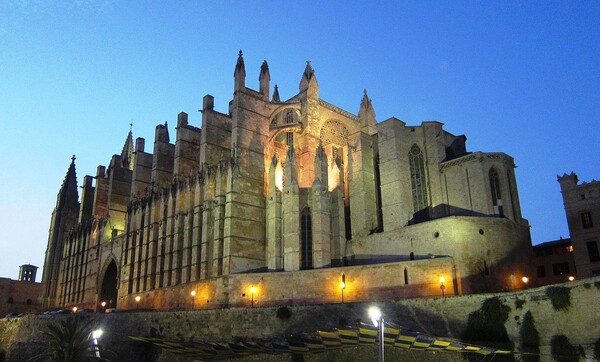
Valentine's Day is in 9 days. Stop by and see if you can find something nice for your loved ones, or maybe treat yourself.
|
OpenSim Scripters
60 members |

|
Event Plaza Osgrid
3 members |

|
The Institute of Space Exploration
2 members |

|
Friends Of Middle Earth
5 members |
|
Dream & Laugh group
1 members |
|
The Oasis of Four Palms Lovers
1 members |
|
Virtualife italian grid
2 members |
|
Clan's Clan
10 members |

|
Avatar Makeover Professionals - Contract Work
1 members |